
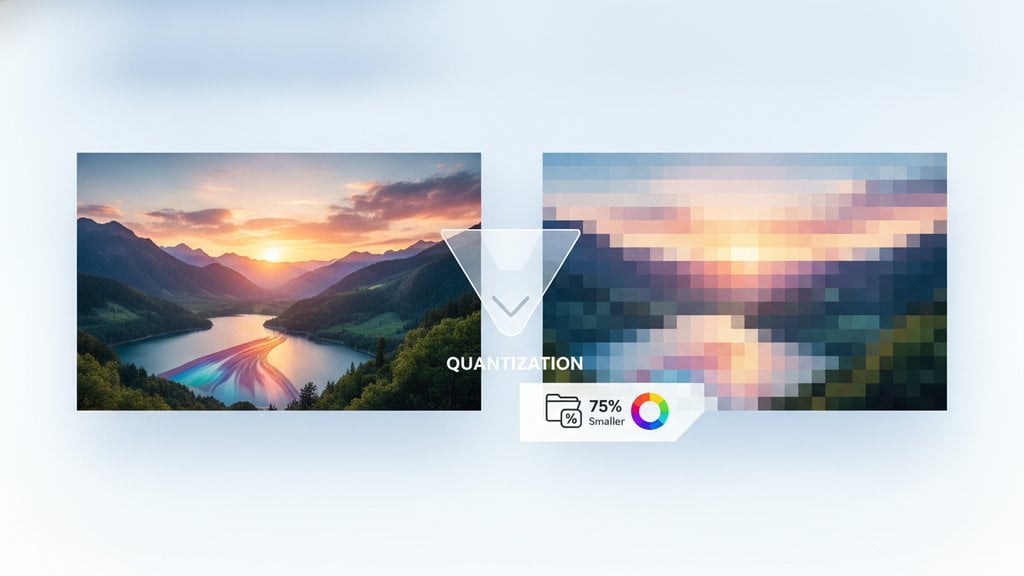
Image quantization is the process of reducing the number of distinct colors in an image to shrink its file size. Instead of storing thousands or millions of unique color values, a quantized image maps every pixel to one of a limited set of colors called a palette. The result is a smaller file that still looks recognizable, though the trade-off between size and visual fidelity depends heavily on how the palette is chosen and how many colors you keep.
Content Table
How Color Depth Works
Every pixel in a digital image is stored as a color value. In a standard 24-bit RGB image, each pixel gets three channels (red, green, blue), each with 256 possible levels. That gives you 256 × 256 × 256 = 16,777,216 possible colors, which is why this is called "true color." Add an alpha (transparency) channel and you get 32-bit RGBA.
Color depth is measured in bits per pixel (bpp). The more bits, the more colors you can represent, and the more data each pixel requires to store:
| Bit Depth | Max Colors | Common Use |
|---|---|---|
| 1 bpp | 2 | Black-and-white fax, simple icons |
| 4 bpp | 16 | Early Windows icons, old GIFs |
| 8 bpp | 256 | GIF, indexed PNG, web graphics |
| 24 bpp | 16.7 million | JPEG, PNG, standard photos |
| 32 bpp | 16.7 million + alpha | PNG with transparency, TIFF |
Quantization is essentially the act of moving down that table intentionally, trading color precision for smaller storage.
What Quantization Actually Does
When you quantize an image, the algorithm scans every pixel's color value and assigns it to the nearest color in a target palette. If the original pixel is
#4A7FC1
(a medium blue) and the closest palette entry is
#4080C0
, the pixel gets rewritten as that slightly different blue. Repeat this for every pixel in the image, and you end up with a version that uses only the colors in your palette.
The key steps in any quantization pipeline look like this:
- Sample the original colors. The algorithm reads all the color values present in the image.
- Build a reduced palette. It picks a set of representative colors (anywhere from 2 to 256, depending on your target).
- Map every pixel. Each original color is replaced by the nearest palette entry.
- Store pixel indices. Instead of saving full RGB values per pixel, the file stores a small index number pointing into the palette table.
That last step is where the real size savings come from. An 8-bit index takes 1 byte; a full 24-bit RGB value takes 3 bytes. For a 1000x1000 image, that difference alone is about 2 MB before any further compression is applied.
Palette Generation: How the Best Colors Get Chosen
Palette generation is the most computationally interesting part of quantization. The goal is to pick a set of colors that, collectively, represents the original image as faithfully as possible. Several algorithms exist, each with different speed-vs-quality trade-offs:
- Median cut (used in early GIF encoders): Divides the color space into boxes, then splits the largest box along its longest axis. Fast but can underrepresent subtle gradients.
- Octree quantization: Builds a tree of colors grouped by their bit patterns and prunes branches until the target palette size is reached. Memory-efficient and popular in older software.
- k-means clustering: Treats colors as points in 3D space and iteratively finds cluster centers. Produces high-quality palettes but is slower because it requires multiple passes over the image data.
- NeuQuant: A neural-network-based approach developed by Anthony Dekker in 1994. Used in many modern GIF encoders because it handles photographic images well without being as slow as k-means.
The quality of palette generation directly determines how much the final image diverges from the original. A poorly chosen palette will force many pixels to be mapped to colors far from their originals, producing visible artifacts.
Indexed Color and File Size
The output of quantization is an indexed color image. Instead of each pixel storing its own RGB triplet, the file stores a color lookup table (CLUT) at the top, then each pixel stores only a small integer index into that table. GIF files work exactly this way, capping out at 256 colors (8-bit index). Indexed PNG works the same way.
The file size reduction is real and significant:
- A 500x500 true-color PNG might be around 200-300 KB depending on content.
- The same image quantized to 256 colors as an indexed PNG can drop to 50-80 KB.
- Dropping to 64 colors might bring it to 30-40 KB.
- At 16 colors, you might hit 15-20 KB, but quality degrades noticeably for anything photographic.
For flat graphics, logos, and icons with limited color variation, aggressive palette reduction works extremely well. For photographs with smooth gradients and thousands of natural tones, it tends to look bad unless dithering is applied.
Color Banding and Image Degradation
The most visible symptom of heavy quantization is color banding. Where the original image had a smooth gradient, say a blue sky fading from deep blue at the top to pale at the horizon, the quantized version shows distinct stripes where one palette color ends and another begins. This happens because the smooth transition has been forced onto a small set of discrete steps.
Color banding is most obvious in:
- Sky gradients in landscape photos
- Skin tones in portraits
- Soft shadows and vignettes
- Blurred or out-of-focus backgrounds
More broadly, image degradation from quantization can also show up as flat areas of color that should have subtle texture, or a "painted" look in areas that were originally detailed. This is separate from the blocky artifacts you see with JPEG compression. If you want to understand the full range of visual problems that different compression methods introduce, the article on image compression artifacts and how to avoid them covers the full picture.
Dithering: The Fix for Banding
Dithering is the standard technique for hiding color banding. Instead of mapping every pixel to its nearest palette color, dithering intentionally scatters slightly wrong colors in a pattern that tricks the eye into perceiving a smoother blend. The most common algorithm is Floyd-Steinberg dithering, which distributes the "error" (the difference between the original color and the chosen palette color) to neighboring pixels.
The result looks like subtle noise or grain in smooth areas, but it reads as a gradient rather than a hard band. For most images, a dithered 256-color version looks significantly better than an undithered one, with only a small increase in file size.
Posterization vs. Quantization
Posterization is a related but distinct concept. In posterization, you reduce the number of tonal levels in each color channel independently. A posterization level of 4 means each of the red, green, and blue channels is rounded to one of only 4 values (0, 85, 170, 255), giving 4 × 4 × 4 = 64 possible colors total. The result is the characteristic "flat block" look associated with pop-art style images.
Quantization, by contrast, picks the best palette for the specific image rather than applying a uniform reduction to each channel. Quantization is smarter: it can allocate more palette entries to the colors that appear most in the image, and fewer to rare colors. Posterization treats all channels equally regardless of what the image actually contains.
In practice:
- Posterization is mostly a creative effect in photo editing software (Photoshop, GIMP).
- Quantization is an encoding step used by file formats like GIF to reduce storage size.
Where Quantization Is Used Today
Quantization is most relevant in these real-world scenarios:
- GIF files: The GIF format is hard-limited to 256 colors per frame, so every GIF has been quantized. Animated GIFs use a global palette or per-frame local palettes to manage this limit across frames.
- PNG optimization: Tools like pngquant convert 24-bit PNGs to 8-bit indexed PNGs, often reducing file size by 60-80% with minimal visible loss on simple graphics.
- WebP with palette mode: WebP supports a lossless indexed mode for images with limited colors, similar to indexed PNG.
- Sprite sheets and game assets: Game developers often quantize textures to fit within GPU memory budgets or to match older hardware color constraints.
- Web performance: Reducing palette size is one of several strategies for making websites load faster, particularly for decorative graphics, icons, and UI elements that don't need full color depth.
For photographic content, JPEG compression is usually a better tool than quantization because JPEG's discrete cosine transform handles smooth gradients far more gracefully than palette reduction does. Quantization shines on images that are already graphical or flat, where the palette can represent almost everything the eye needs without visible loss.
If you need to reduce image file sizes for sharing or uploading, including formats like GIF, PNG, and WebP where palette settings matter, tools that expose the max-colors control directly give you the most flexibility. When working with GIFs specifically, adjusting the palette size is often more effective than simply lowering quality, since the two controls work on fundamentally different parts of the encoding pipeline. For a broader look at how storage decisions affect file size before any compression even happens, the guide on why RAW files are so large explains the underlying storage math well.
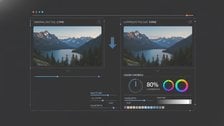
Reduce image file sizes with full palette control
SimpleSize's free image compressor lets you adjust the maximum colors palette (16 to 256 entries) for GIF and WebP files directly, so image quantization works exactly as hard as you need it to. No login, no file storage, supports JPG, PNG, GIF, WebP, AVIF, HEIC, and more.
Try Free Image Compression →
Not necessarily. For flat graphics, logos, icons, and illustrations with limited color variation, reducing to 256 colors or even fewer can be nearly invisible. The quality loss becomes obvious mainly with photographs, smooth gradients, and skin tones, where thousands of subtle tonal steps get collapsed into a handful of palette entries. Dithering helps a lot in those cases.
JPEG compression works by breaking the image into 8x8 pixel blocks and discarding fine detail using a frequency transform (DCT). It handles gradients well but creates blocky artifacts at low quality settings. Quantization reduces the number of distinct colors in the palette. The two methods produce very different artifacts: JPEG creates blockiness and ringing; quantization creates color banding and flat areas.
256 colors is the standard maximum for indexed formats like GIF and 8-bit PNG, and it works well for most non-photographic content. For simple logos or icons, 64 or even 32 colors may be enough. For animated GIFs where per-frame palettes are shared, staying at 256 preserves the most detail. Test at your target size and zoom in on gradient areas to check for banding.
No. Quantization is a lossy process. Once pixel colors are remapped to palette entries and the original color values are discarded, that information is gone permanently. You can upscale the color depth of a quantized image back to 24-bit, but you will just get a 24-bit file that still only contains the original palette colors. The missing tonal detail cannot be reconstructed.
The GIF format was designed by CompuServe in 1987, when 8-bit color displays were standard. An 8-bit index can reference at most 256 entries (2 to the power of 8), so the palette size was hard-coded into the format specification. This limit was never removed in later revisions (GIF89a in 1989). It is a fundamental part of the format, not a setting you can change.
Dithering improves perceived quality in images with gradients by replacing harsh color bands with fine noise patterns. However, the noise it introduces can actually increase file size after lossless compression, because random pixel patterns compress less efficiently than flat blocks of color. For graphics where file size matters more than gradient smoothness, turning dithering off and accepting some banding can produce a smaller file.