SimpleSize.app

Free file converter

Convert files into the right format with a free file converter, then compress them with SimpleSize.

Convert files to the format you need

A file converter changes the format of a file so that a phone, an editor, a website or an email accepts it. The audio and video converters below are free with no signup, and each one opens in a single step: drop the file, pick the format, download the result. The image and PDF converters open on our sister sites.

Converting is usually the first half of the job. Once the file has the format you need, compress it here to get a size that fits the limit you are working against.

Four converters

  • Change an audio format

    Converts audio files, and the sound of a video, to MP3, WAV, M4A, AAC, FLAC, OGG, WMA, AIFF or MP2. Open the audio converter.

  • Change a video format

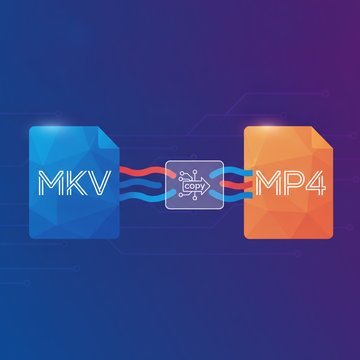
    Converts video to MP4, MOV, MKV, WebM or GIF, with codec options. Open the video converter.

  • Images, on ImgDeal

    Runs on our sister site imgdeal.com, made by the same team. Open the image converter in a new tab.

  • PDFs, on LooPDF

    Runs on our sister site loopdf.com, made by the same team. Open the PDF converter in a new tab.

Pick the format by where the file goes

  • Where it goes

    A phone or a TV

    Format to pick

    MP4 with H.264 for video, and MP3 or M4A for audio, because almost every device plays them.

  • Where it goes

    A web page

    Format to pick

    WebM for video and a short silent loop as GIF; both play in a page without a plugin.

  • Where it goes

    An editor or an archive

    Format to pick

    WAV, FLAC or AIFF for audio, because they keep every sample. Keep the original as well, since a conversion to a lossy format cannot be undone.

  • Where it goes

    An email or an upload form

    Format to pick

    Pick the format the form lists, then compress the result so it fits the size limit.

Convert first, then compress

Convert before you compress, so the compressor works on the file you will actually send. Pick the compressor that matches the result:

  • After converting

    A video converted to MP4

    Then compress with

    Shrink it with the MP4 compressor.

  • After converting

    An image converted to JPG

    Then compress with

    Shrink it with the JPG compressor, or use the image compressor for other image formats.

  • After converting

    A document converted to PDF

    Then compress with

    Shrink it with the PDF compressor.

File converter questions

The audio and video converters are free, with no signup. The image and PDF converters run on the sister sites imgdeal.com and loopdf.com and open in a new tab.

Use the audio converter for sound, the video converter for video, the image converter for pictures and the PDF converter for PDF files. Each card above names the formats it handles.

Yes. The audio converter takes a video file and keeps the sound of its first audio track.

The format sets how much a file can shrink. Convert to the format you need first, then compress that file, so the size you end up with is the size of the file you send.