
Compress GIF Image
Reduce the file size of your GIF images by optimizing quality while keeping visual fidelity.
How to compress GIF files and why file size matters
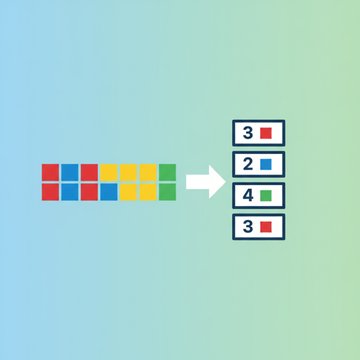
A GIF file stores each frame as an indexed bitmap with a palette of up to 256 colors. Compression works by reducing the number of unique colors, increasing horizontal runs of identical pixels (which the LZW algorithm inside GIF encodes very efficiently), and trimming frames that add little visual change. The result is a smaller file that loads faster and costs less bandwidth to serve or share.
Animated GIF compression is especially useful because animation multiplies the size problem. A two-second loop at 15 frames per second already contains 30 individual images stacked inside one file. Shrinking each frame and reducing the color palette compounds the savings across every frame at once.
When you actually need a GIF size reducer
Not every GIF needs compression, but several situations make it worth doing.
- Email campaigns: many providers reject attachments or inline images above a few hundred kilobytes.
- Social media uploads: platforms like WhatsApp and Telegram enforce strict file size limits. See our guide on compressing files for WhatsApp for exact limits.
- Web pages: a large animated GIF can stall page rendering and hurt Core Web Vitals scores.
- Mobile sharing: cellular data makes every megabyte count. Our article on reducing file size on mobile covers this in more depth.
- Storage quotas: cloud drives and CMS platforms often cap individual file uploads.
What actually happens when you reduce GIF size
Three technical levers control how much a GIF shrinks.
- Color quantization: the encoder maps every pixel to the nearest color in a reduced palette. Dropping from 256 to 64 colors cuts the bits needed per pixel and produces longer identical runs that LZW compresses more aggressively.
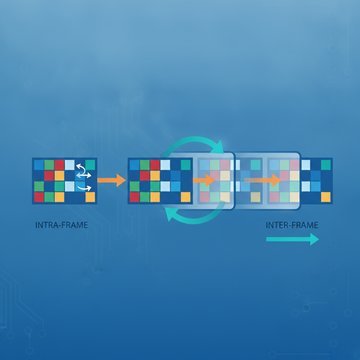
- Frame optimization: instead of storing each full frame, an optimizer writes only the pixels that changed since the previous frame. This delta encoding can cut animated file size by 30 to 70 percent on its own.
- Lossy dithering reduction: dithering scatters pixels to simulate colors the palette cannot reproduce exactly. Reducing dithering creates flatter regions that compress better, at the cost of some visual smoothness.
These three techniques are independent, so applying all of them together produces the largest decrease in file size.
GIF versus other animated formats: choosing the right approach
GIF is not always the best container for animation. WebP and AVIF both support animation and achieve significantly smaller files at comparable or better visual quality, because they use modern prediction-based codecs rather than LZW. If your target platform supports animated WebP, converting rather than compressing may be the more practical route. You can explore WebP compression or AVIF compression as alternatives.
That said, GIF remains the most universally supported animated image format across email clients, older browsers, and messaging apps. When compatibility is the priority, an animated GIF optimizer is the right tool rather than a format conversion.
Practical tips for better results
A few adjustments before or during compression make a measurable difference.
- Crop the canvas to the smallest area that contains meaningful motion. Empty borders add pixels to every frame.
- Lower the frame rate to 10 or 12 fps if the animation does not require smooth motion. Fewer frames means fewer bytes.
- Use a solid or near-solid background. Busy backgrounds defeat frame delta encoding because almost every pixel changes between frames.
- Avoid gradients where possible. Gradients require many unique colors, which expands the palette and reduces LZW efficiency.
- Check the output at the intended display size. A GIF displayed at half its native resolution can be scaled down before compression, cutting file size by roughly 75 percent at the same visual result.
If you also work with static images, the same principles of palette reduction and lossless optimization apply. Our general image compression tool handles PNG, JPG, and other formats with similar controls.
FAQ
Compressing a GIF means reducing the number of bytes needed to store the file without necessarily changing its dimensions or frame count. The process applies color quantization to shrink the palette, frame delta encoding to store only changed pixels between frames, and LZW re-encoding to pack the remaining data more tightly. The output plays identically to the original in most cases, just with a smaller file size.
Savings depend on the source file. Animated GIFs with flat colors, simple backgrounds, and slow motion often shrink by 50 to 80 percent using frame optimization and color reduction alone. GIFs with photographic content or heavy noise compress less because nearly every pixel differs between frames, limiting delta encoding gains. Running a test on your specific file is the only reliable way to know the actual reduction.
Frame optimization and lossless LZW re-encoding preserve exact pixel values, so those steps produce no visible quality loss. Color quantization is lossy: reducing the palette from 256 to a smaller number means some pixels are remapped to the nearest available color, which can introduce banding in gradients. Lossy dithering reduction also softens fine detail. The trade-off between file size and visual fidelity is adjustable, so you can choose how aggressively to apply these steps.
Compressing a GIF keeps the file in the GIF container and applies LZW-based optimizations within that format's constraints. Converting to animated WebP or AVIF replaces the container and codec entirely. WebP uses a prediction-based compression model that encodes inter-frame differences more efficiently than LZW, typically producing 30 to 50 percent smaller files at the same quality. AVIF goes further with a video-derived codec. The downside is compatibility: GIF plays everywhere, while WebP and AVIF may not render in older email clients or apps. You can try AVIF compression if your platform supports it.
Yes. Resizing is one option but not the only one. Color palette reduction, frame delta optimization, and dithering adjustments all decrease file size while keeping the canvas dimensions identical. These techniques work on the pixel data itself rather than the layout of the image. If the GIF was not previously optimized, applying frame delta encoding alone can produce a significant decrease in size without any change to width, height, or frame count.
Several factors limit how much a GIF can shrink. Photographic source material contains too many unique colors for the 256-color palette to represent efficiently, producing large dithering patterns that defeat LZW. A high frame rate means more frames to store. A large canvas with lots of motion means few identical pixel runs between frames. In these cases, the practical solution is to reduce dimensions, lower the frame rate, or convert to a modern format like animated WebP.
For most personal and commercial GIFs the risk is low, but you should check the tool's privacy policy before uploading anything sensitive or proprietary. Reputable tools delete uploaded files automatically after processing. If your GIF contains confidential information, consider using a local desktop application that never sends the file to a server. You can review the privacy terms for this site at the privacy policy page .
Limits vary widely. Twitter allows animated GIFs up to 15 MB, but converts them to video internally. Tenor and Giphy accept up to 100 MB for uploads but serve optimized versions. WhatsApp caps GIF sharing at around 16 MB in most regions. Email clients typically enforce limits of 1 to 5 MB for inline images. Our article on maximum file sizes by platform lists current limits in more detail.
Standard compression techniques, including color quantization and frame delta encoding, do not alter the frame delay values stored in the GIF header. Loop count metadata is also preserved. Timing changes only occur if the tool explicitly offers a frame rate reduction option and you enable it. If you notice timing differences after compression, check whether the tool modified frame delays as part of its optimization pass.
Browser-based tools work on any device with a modern browser, including iOS and Android. The processing may happen on a remote server or in the browser itself depending on the tool. For large animated GIFs, server-side processing is typically faster because mobile CPUs handle frame-by-frame encoding more slowly. Upload times on cellular connections can offset some of that speed advantage, so connecting to Wi-Fi before uploading large files is worth considering.
For web use, converting to a short MP4 or WebM video often produces files 5 to 10 times smaller than an optimized GIF, because modern video codecs use inter-frame prediction that GIF's LZW cannot match. HTML5 video with autoplay, muted, and loop attributes replicates GIF behavior in browsers. For contexts where a video file is not accepted, such as email or certain messaging apps, keeping the GIF format and applying an animated GIF optimizer is the more compatible choice.
Batch processing support varies by tool. Some browser-based tools accept multiple files in a single upload session and process them in parallel or sequentially. Others handle one file at a time. If you regularly need to shrink large numbers of GIFs, a command-line tool or desktop application with batch mode is often more efficient than uploading files individually through a web interface.