
Compress Video File
Reduce the file size of your videos by optimizing codec, quality, and resolution while maintaining visual quality.
Compress video files online, no account needed
Video compression works by re-encoding the raw bitstream at a lower target bitrate, discarding data the encoder judges least perceptible. SimpleSize gives you direct control over the codec, quality level, and output resolution so you decide how much data to remove. Upload a file up to 1 GB, adjust the settings, and download a reduced file in the same container format you started with.
No login is required. Files are processed server-side and the download link expires after 300 seconds, so nothing lingers longer than necessary.
What the settings actually do
Three controls determine the output size. Understanding what each one changes helps you choose the right trade-off.
- Codec: The encoding algorithm applied to your footage. VP9 is the default and balances file size against decode compatibility. H.264 produces files that play on virtually every device. H.265 and AV1 achieve smaller files at the same visual quality but take longer to encode. VP8 is the oldest option and generally the least efficient.
- Quality slider: A percentage from 10% to 100% (default 70%) that sets the target bitrate relative to the original. Lowering it reduces the bitrate proportionally. At 50% the encoder targets roughly half the original data rate. At 30% the savings are significant but visible artifacts may appear in fast-moving scenes.
- Target resolution: Downscaling from 4K to 1080p, for example, reduces the number of pixels the encoder must store on every frame. This often produces a larger size reduction than adjusting the quality slider alone. Options run from the original height down to 480p.
- HDR conversion: A toggle that tone-maps HDR color data to SDR. Useful when the destination device or platform does not support HDR playback.
How to shrink a video in four steps
- Open the tool at simplesize.app/en/compress-video or choose the Video tab on the home page.
- Drag your file onto the dropzone or click to browse. Supported formats are MP4, MOV, MKV, and WebM up to 1 GB. The file uploads and returns a progress token used to track the job.
- Pick a codec, set the quality slider, and optionally choose a lower target resolution. Leave everything at the defaults (VP9, 70%, original resolution) if you want a moderate reduction without changing playback compatibility.
- Click "Compress Video." A progress bar shows current time processed, total duration, estimated time remaining, and percent complete. When finished, the results panel shows a thumbnail, original size, compressed size, savings percentage, codec, and bitrate, plus a download button.
When to use this tool and when to use a format-specific page
This page handles any of the four supported containers. If you only ever work with one format, the dedicated pages for MP4 , MOV , MKV , and WebM use the same engine with the same options. The output container always matches the input, so an MKV file in produces an MKV file out regardless of which page you use.
Common situations where reducing video file size matters:
- Uploading to platforms that enforce a file size cap (email attachments, messaging apps, cloud storage free tiers)
- Reducing storage cost on a server or device with limited space
- Cutting bandwidth use when hosting video on a website
- Preparing footage for social media platforms that re-encode uploads anyway, where a smaller source file speeds up the upload
- Archiving recordings where exact quality is less important than long-term storage footprint
For a deeper look at how bitrate affects quality, see the video bitrate guide on the blog.
Limits and daily usage
The free video compressor online allows up to 10 videos per IP address per day. This count is shared with the video converter tool on the same account. The limit resets at midnight UTC. If you reach it, the tool displays how many videos you have processed and asks you to return the next day. The file size cap per upload is 1 GB.
FAQ
The tool re-encodes your video using the codec you select, targeting a bitrate derived from the quality percentage you set. A lower quality percentage tells the encoder to discard more data per frame. If you also choose a lower target resolution, the encoder processes fewer pixels per frame, which reduces the output size independently of the quality setting. The output container always matches the input format.
H.264 offers the broadest device compatibility and is a safe default for files going to televisions, phones, or older software. VP9 (the default here) is more efficient than H.264 at the same visual quality and plays natively in all modern browsers. H.265 and AV1 produce the smallest files but require more processing time and are not supported on all playback devices. If compatibility is uncertain, H.264 is the lowest-risk choice. For more background, read the codec explainer .
The default of 70% is a reasonable starting point for most footage. It targets roughly 70% of the original bitrate, which typically produces a noticeable size reduction with minimal visible quality loss. Settings below 50% can introduce blocking or blurring in high-motion scenes. Settings above 80% produce smaller savings. For archival or master copies, stay at 70% or above. For messaging or social uploads where the platform will re-encode anyway, 40% to 60% is often acceptable.
Yes. The online video shrinker is free with no account required. The daily limit is 10 videos per IP address, shared with the video converter tool. The limit resets at midnight UTC. There are no paywalls on any codec, quality level, or resolution option. The 1 GB file size cap applies to every upload.
The download link is valid for 300 seconds after the job completes. After that window closes, the link expires and the file is no longer accessible. Download your compressed video promptly once the results appear. Upload tokens used to track the job are temporary identifiers that expire after one hour regardless of whether you download the result.
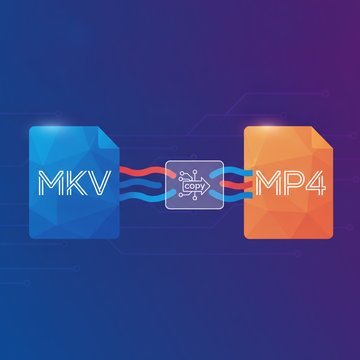
The tool accepts MP4, MOV, MKV, and WebM files up to 1 GB. The output container always matches the input. You cannot change the container format here. If you need to change format as well as reduce file size, use the video converter , which handles format changes separately.
Compression re-encodes the video stream at a lower bitrate or resolution within the same container, reducing file size while keeping the format. The codec may change but the container does not. Conversion changes the container format (for example, MOV to MP4) and re-encodes the stream to match the new container's requirements. Both processes involve re-encoding, but they serve different goals. If you only need a smaller file in the same format, use this tool. If you need a different container, use the video converter.
Generally yes. Reducing the output height (for example from 2160p to 1080p) cuts the pixel count per frame by roughly 75%, which gives the encoder far less data to store. The actual savings depend on the content and the codec. Static or low-motion footage already compresses efficiently, so the gain from downscaling is smaller. High-motion or detailed footage benefits more from resolution reduction because there is more spatial data to discard.
HDR video stores luminance and color data beyond the range that standard displays can reproduce. When you enable HDR conversion, the encoder applies tone mapping to remap that extended range into the SDR color space. The output plays correctly on devices that do not support HDR. Without this toggle, an HDR source file may appear washed out or incorrectly exposed on non-HDR screens. It does not affect file size significantly on its own.
This can happen when the original file was already highly compressed, for example a video exported from a streaming platform or a heavily processed social media clip. Re-encoding such a file at a quality setting above its effective bitrate adds data without recovering quality. It can also occur if you select a codec that is less efficient than the one used in the original. Try lowering the quality slider or switching to a more efficient codec like H.265 or AV1.
Yes. Both platforms impose file size limits that make reducing video size necessary before sending. For WhatsApp, an MP4 encoded with H.264 at 720p and a quality setting around 50% to 60% typically falls within the size limits while remaining watchable. For email, the effective limit is usually much lower, so 480p with a quality setting of 40% to 50% is more appropriate. Check the WhatsApp compression guide for specific size targets.