

RAW file size is large because your camera stores every single bit of data its sensor captures, with no processing and minimal compression applied. A typical 24-megapixel camera produces RAW files between 20 and 35 MB each, while the same shot saved as a JPEG might land around 5 to 8 MB. That gap exists because RAW and JPEG treat image data in fundamentally different ways.
Content Table
What Is a RAW File, Exactly?
A RAW file is the direct, unprocessed output from a camera's image sensor. Think of it as a digital negative. The camera reads each pixel's light value off the sensor and writes that data to the card with almost no interpretation. No sharpening, no color correction, no exposure adjustment baked in.
Every camera manufacturer has its own RAW format. Canon uses
.CR2
and
.CR3
, Nikon uses
.NEF
, Sony uses
.ARW
, and Fujifilm uses
.RAF
. These are all RAW formats, just with proprietary wrappers. Adobe's
.DNG
(Digital Negative) is an open standard designed to be universal, but the underlying principle is the same across all of them.
Why RAW Files Are So Large
Three factors drive RAW file size up significantly compared to other formats.
Bit depth per channel
Most modern cameras capture RAW data at 12 or 14 bits per channel. A JPEG uses 8 bits per channel. At 14 bits, each pixel can represent 16,384 distinct tonal values per color channel instead of just 256. That extra precision is what lets you recover blown highlights or lift crushed shadows in post without the image falling apart. But it also means each pixel takes up more storage space.
No in-camera processing or discard
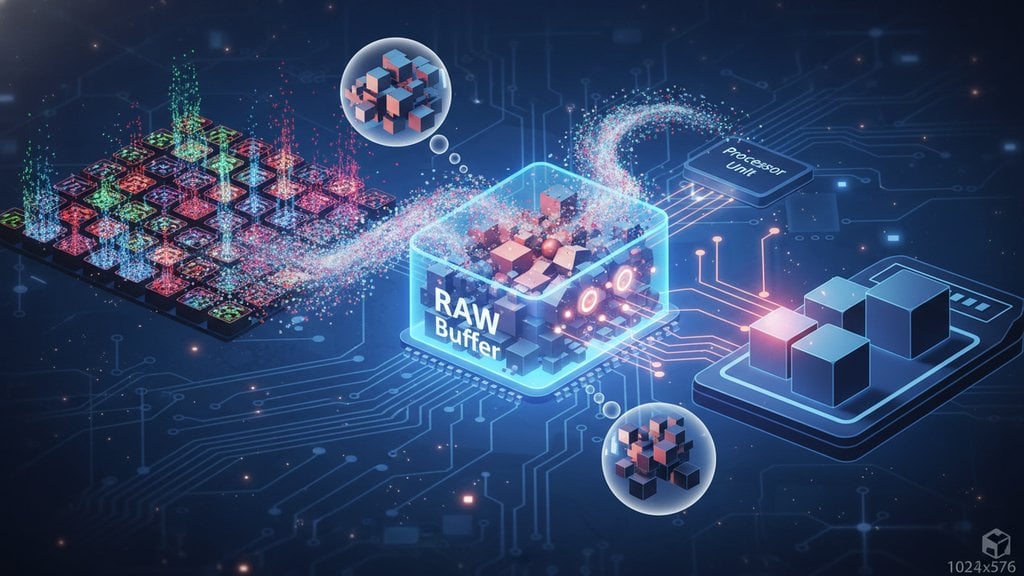
When your camera saves a JPEG, it runs the sensor data through a processing pipeline: demosaicing, noise reduction, sharpening, color grading, and then aggressive compression. Most of the original data gets discarded in this process. A RAW file skips all of that. Everything the sensor captured gets written to the card, including data you might never use.
The Bayer filter and full sensor coverage
Camera sensors use a Bayer color filter array , where each pixel captures only one color (red, green, or blue). The RAW file stores all of those individual readings. The software reconstructs full color per pixel later through a process called demosaicing. This means the file holds data for every single photosite on the sensor, not a pre-merged result.
RAW vs JPEG File Size: A Direct Comparison
Here's how raw vs JPEG file size plays out across a few common camera sensors:
| Camera / Sensor | Megapixels | Typical RAW Size | Typical JPEG Size | Size Ratio |
|---|---|---|---|---|
| Canon EOS R6 Mark II | 24 MP | ~25 MB | ~6 MB | ~4:1 |
| Sony A7R V | 61 MP | ~60 MB | ~14 MB | ~4:1 |
| Nikon Z8 | 45 MP | ~50 MB | ~12 MB | ~4:1 |
| Fujifilm X-T5 | 40 MP | ~42 MB | ~10 MB | ~4:1 |
| iPhone 15 Pro (ProRAW) | 48 MP | ~75 MB | ~5 MB | ~15:1 |
Notice the iPhone ProRAW ratio is much more extreme. Apple's ProRAW format is particularly large because it layers Apple's computational photography data (multi-frame HDR merging, Deep Fusion processing) on top of the raw sensor data. That's a special case, but it shows how implementation choices can push RAW sizes even higher.
Does RAW Compression Exist?
Yes, and most cameras offer it. There are three common approaches to raw file compression:
- Uncompressed RAW: Pure sensor data, nothing removed or reduced. Largest files, maximum data integrity.
- Lossless compressed RAW: Uses algorithms similar to ZIP or DEFLATE to reduce file size without discarding any actual image data. Canon's C-RAW and Nikon's lossless compressed NEF fall into this category. You typically get 20 to 40 percent smaller files with zero quality loss.
- Lossy compressed RAW: Discards some sensor data to shrink files further. Sony's compressed ARW and some Canon mRAW/sRAW options work this way. Files can be half the size of uncompressed, but you lose some of the tonal range that makes RAW editing flexible.
This mirrors a pattern you see across many media formats. If you've ever wondered why WAV audio files are so much larger than MP3s , the logic is almost identical: uncompressed data preserves everything the recording captured, while compressed formats discard what's considered perceptually unimportant.
Managing RAW Image Storage
A single day of shooting RAW can easily generate 10 to 30 GB of data. That adds up fast. Here are practical strategies for handling it.
On-camera options
- Switch to lossless compressed RAW if your camera supports it. Same quality, meaningfully smaller files.
- Shoot RAW + JPEG simultaneously only when you need quick-share JPEGs alongside the RAW masters. Otherwise, it doubles your storage usage for no benefit.
- Use faster, higher-capacity cards (CFexpress Type B cards are now common for high-resolution cameras) so buffer clearing doesn't slow you down.
Post-shoot storage
- Cull aggressively before backing up. Deleting blurry shots, duplicates, and test frames before your first backup saves significant space.
- Use a 3-2-1 backup strategy: three copies, on two different media types, with one offsite.
- Cloud storage platforms handle large RAW files, but watch their size limits. Check platform-specific file size limits before assuming your storage service accepts 60 MB RAW files without restrictions.
Sharing RAW files
RAW files are not practical for sharing with clients, posting online, or sending via messaging apps. Export a JPEG or TIFF for delivery. If you need to send a large batch of images, services like Google Drive work well, though you may want to optimize your images before uploading to Google Drive to stay within storage quotas.
For quick shares via messaging, RAW is never the right format. Even high-quality JPEGs often need a size reduction before sending. Our guide on compressing files for WhatsApp without losing quality covers exactly that workflow.
When RAW Size Is Worth It (And When It Isn't)
The large file size of RAW is a deliberate trade-off, not a flaw. Here's a quick breakdown of when it makes sense:
Shoot RAW when:
- You're doing professional or commercial work where post-processing control matters.
- Lighting is tricky and you might need to recover highlights or shadows.
- You're printing large (A2 size and above), where bit depth differences become visible.
- You want to apply your own color grading rather than using the camera's built-in JPEG profile.
JPEG is fine when:
- You're shooting in good, consistent light with a clear exposure.
- You need fast turnaround and don't have time to edit RAW files.
- Storage and card speed are limited (sports or wildlife photographers sometimes prefer JPEG for buffer reasons).
- The final output is web or social media, where the difference between RAW-processed and a good in-camera JPEG is invisible at typical viewing sizes.
Understanding what's inside a RAW file makes the size completely logical. You're not storing a picture, you're storing the raw materials to build one. That flexibility has a cost, and it's measured in megabytes.
Need to shrink your exported images without sacrificing quality?
After editing your RAW files, the exported JPEGs or TIFFs can still be surprisingly large. SimpleSize's free image compressor reduces file size while preserving visual quality, so your finished photos are ready to share, upload, or deliver without the bulk of an unprocessed raw file size.
Try Free Image Compression →
Megapixels only count the number of pixels, not how much data each one holds. A 24 MP RAW file at 14 bits per channel stores far more data per pixel than a 24 MP JPEG at 8 bits. Add metadata, embedded preview thumbnails, and color profile data that most RAW formats include, and the final file size often exceeds what a simple pixel count calculation would predict.
Yes, but it's a one-way process. Once you convert a RAW file to JPEG, you permanently discard the extra bit depth and unprocessed sensor data. The JPEG will look fine for most purposes, but you lose the editing flexibility. A common workflow is to keep RAW masters archived and export JPEGs for delivery or sharing, rather than replacing the originals.
It can. Larger RAW files fill the camera's internal buffer faster, which means the camera has to pause and wait for the buffer to clear to the memory card. Using a faster memory card (CFexpress Type B vs. SD, for example) reduces this bottleneck significantly. Some photographers switch to lossless compressed RAW or even JPEG specifically to maintain higher burst rates during fast action.
Not exactly. Apple ProRAW is built on the DNG standard but includes Apple's computational photography data baked in, such as multi-frame HDR merges and Deep Fusion processing. Standard camera RAW files contain only raw sensor data before any processing. ProRAW files are often larger than traditional camera RAW files relative to their megapixel count because of this extra embedded data layer.
Generally no. RAW files require software that supports demosaicing and the specific camera's format. Adobe Lightroom, Capture One, and the free darktable all handle most RAW formats. Windows 10 and 11 can preview some RAW files natively with the Microsoft Raw Image Extension , and macOS Preview supports many RAW formats out of the box. Older software may not recognize newer camera models without an update.
A rough rule: multiply your expected shot count by your camera's average RAW file size. A wedding photographer shooting 1,500 frames on a 45 MP camera at roughly 50 MB per file generates around 75 GB in a single day. Budget at least double that for your working storage (original plus one backup), and plan for a separate offsite copy. Shooting lossless compressed RAW can cut that estimate by 25 to 35 percent.