

A TIFF (Tagged Image File Format) is a high-quality raster image format that stores photos and scans with little or no compression, which keeps every pixel intact. Print designers rely on it because it preserves full color depth, sharp detail, and layered image data that survives repeated editing without degrading, exactly what a professional printing workflow demands. That lossless quality is why TIFF remains the go-to print-ready image format for magazines, packaging, and fine-art reproduction.
Content Table
What a TIFF File Actually Is
TIFF was created by Aldus (later merged into Adobe) in the mid-1980s to standardize scanned images. The format is now maintained by Adobe, and the TIFF specification lets a single file hold a huge amount of image data flexibly.
A few things make it different from everyday formats like JPG or PNG:
- Lossless by default. TIFF usually stores pixels without throwing any data away, so nothing gets blurred or smeared during saving.
- Multi-page support. One TIFF file can hold several pages or frames, which is why scanners and fax archives love it.
- Tag-based structure. The "Tagged" in the name refers to metadata tags that describe resolution, color space, layers, and more.
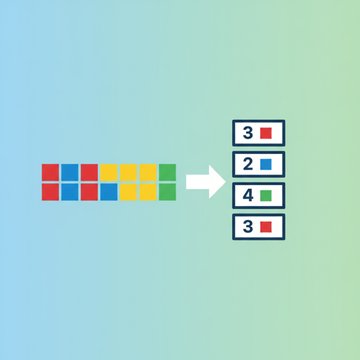
- Flexible compression. It can be fully uncompressed or use lossless schemes like LZW that shrink size without hurting quality.
Why Print Designers Trust TIFF
Print is unforgiving. Once ink hits paper, there is no undo, and any artifact or color shift becomes permanent across an entire run. TIFF gives designers guarantees that web formats do not.
- No compression artifacts. Because the data stays lossless, you never get the blocky "mosquito" noise around edges that JPG introduces.
- CMYK support. TIFF stores CMYK color natively, the four-ink model presses actually use, so what you edit maps directly to what prints.
- Layers and alpha channels. Photoshop can save layered TIFFs, keeping masks and transparency editable for last-minute tweaks.
- High bit depth. TIFF handles 16 bits per channel, giving smoother gradients in skies and skin tones than 8-bit formats.
- Reliable across RIP software. Prepress and Raster Image Processor tools have handled TIFF flawlessly for decades.
Resolution matters just as much as format. Most commercial print jobs need 300 DPI at the final print size, and our guide on image DPI, resolution, and print quality explains exactly why that number keeps text and edges crisp.
TIFF vs JPG for Print Work
The TIFF vs JPG debate really comes down to one question: are you saving pixels perfectly or squeezing them for size? JPG uses lossy compression that discards color and detail every time you save, which is fine for a web thumbnail but risky for a poster.
| Feature | TIFF | JPG |
|---|---|---|
| Compression | Lossless or none | Lossy |
| Color model | RGB, CMYK, grayscale, Lab | RGB only |
| Bit depth | Up to 16 bit per channel | 8 bit only |
| Layers | Supported | Flattened |
| Typical file size | Large (10 to 200+ MB) | Small (1 to 10 MB) |
| Best for | Printing, archiving, editing | Web, email, social |
TIFF Color Depth and Print Quality
Color depth is the number of bits used to describe each pixel's color, and it is where TIFF quietly earns its keep. An 8-bit image gives 256 shades per channel, while a 16-bit TIFF gives 65,536 shades. That extra headroom prevents visible banding when a designer pushes contrast or shifts hue in a gradient.
It also protects you during heavy editing. Every adjustment layer nibbles away at tonal data, and starting from 16-bit means you can dodge, burn, and color-grade aggressively before any loss shows up in print. If you want the underlying mechanics, our explainer on image quantization and color depth breaks down how reducing bits changes the picture.
The Downsides of Working With TIFF
TIFF's biggest strength, keeping all that data, is also its biggest headache. A single full-resolution TIFF can easily top 100 MB, and that creates real friction:
- Storage piles up fast. A photo library in TIFF can be ten times larger than the same shots as JPG.
- Slow to transfer. Emailing or uploading a raw TIFF often bumps into platform limits.
- Poor web support. Most browsers will not display TIFF natively, so it is useless for sites and social posts.
These sizes are similar to why RAW files get so large: uncompressed pixel data simply takes a lot of room. When you need to move a TIFF somewhere with strict limits, learning to compress images for sharing without wrecking quality saves a lot of grief.
When to Use TIFF and When to Convert
Match the format to the destination, and the decision gets easy.
- Keep it as TIFF for master files, print submissions, scans you plan to archive, and any image you will keep editing.
- Convert to JPG or WebP for websites, client previews, email, and social media, where small size beats perfect fidelity.
- Shrink the TIFF itself when a print vendor accepts compressed TIFF but your file is over their upload cap.
If you are optimizing images for the web instead of print, our roundup of the best compression settings for web and social media shows which format and quality level to pick for each platform.

Shrink an Oversized TIFF Without Losing Print Quality
When a print-ready TIFF file is too big to upload or email, our free Compress TIFF tool re-encodes it (including multi-page TIFFs) at your chosen quality, right in the browser with no login.
Compress a TIFF File →
Frequently Asked Questions
TIFF files are used for professional printing, scanning, and long-term archiving. Because they store image data losslessly and support CMYK color plus high bit depth, print designers and photographers rely on them as master files that stay editable and reproduce accurately on paper.
Yes, for high-quality print work TIFF is better because it avoids the lossy compression artifacts JPG introduces every time you save. TIFF also supports CMYK and 16-bit color. JPG still wins for web use and sharing, where its much smaller file size matters more.
TIFF files are large because they store pixel data with little or no compression to preserve full quality. High bit depth, multiple layers, and high resolution all add data. A single 300 DPI print image can easily exceed 100 MB, similar to uncompressed RAW files.
Yes. TIFF supports lossless compression like LZW that reduces file size while keeping every pixel intact. You can also re-encode a TIFF at a chosen quality level to shrink it further when a slight quality trade-off is acceptable for uploading or emailing.
Most web browsers do not natively support TIFF because the format was designed for print and archiving, not the web. To view or share one online, convert it to JPG, PNG, or WebP, which every browser and social platform displays without any add-ons.