
Free file compressor and converter to reduce file size
Compress files online: PDFs, images and videos come back smaller in the same format. Video and audio converters too. Free, no signup.
Compress PDF
Shrink PDF size, keep quality
Compress Image
Reduce any image instantly
Compress JPG
Smaller JPGs, sharp results
Compress PNG
Lossless & lossy PNG
Compress WebP
Tiny modern web images
Compress GIF
Lighter animated GIFs
Compress AVIF
Next-gen image format
Compress HEIC
iPhone photos, smaller
Compress TIFF
High-res scans, reduced
Compress Video
Cut video size, keep HD
Compress MP4
Smaller MP4 in seconds
Compress MOV
QuickTime, slimmed down
Compress MKV
Compress Matroska video
Compress WebM
Web-ready light video
Convert Video
Free video converter, any format
Convert Audio
Free audio converter, any format
All converters
Free file converter: image, audio, video
Why people use SimpleSize for file compression and conversion
A no-nonsense file compressor that respects your time and your privacy.
Works on any device
Upload from a phone, tablet or computer. The heavy work runs on our servers, so an old laptop compresses as fast as a new one, and files are deleted afterwards.
Free, no paywall
Images and PDFs have no daily cap, and video gets 10 free compressions a day. No account, no watermark on any result.
One tool for everything
Compress PDFs, JPG, PNG, WebP, HEIC, MP4, MOV and more in one place, without juggling ten different sites.
Lower file size, keep the format
This file size reducer re-encodes each file in its own format: photos and videos with smarter settings, PDFs by recompressing the pictures inside. Hidden metadata you do not need is dropped. You choose how strong it is, and the smaller file opens, uploads and emails like the original.
Beat upload limits
Slip under email and upload caps like Gmail's 25 MB without splitting files.
Faster sharing & sites
Lighter files send, back up and load on the web noticeably quicker.
Save storage & data
Fit more on your drive and cloud, and burn less mobile data on the go.
Never a bigger file
Every tool has a quality setting, and an image or PDF that cannot get smaller comes back unchanged.
Convert video and audio to the right format
The video converter turns an MP4, MOV, MKV or WebM into another of those formats or into a GIF. The audio converter handles MP3, WAV, AAC, M4A, FLAC, OGG and more. Pick the format, drop the file and download the result, with no signup and no watermark.
Opens on any device
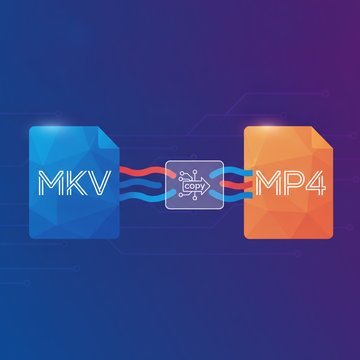
Turn an MKV or WebM into an MP4 that every phone and TV plays.
Clips to GIF
Turn a short video into a GIF for chats, docs and slides.
Audio that plays anywhere
MP3 for every player, WAV or FLAC for editing, M4A for Apple devices.
Web-ready video
Export WebM or MP4 for pages and clips that start fast.
What an online file compressor does to your file
A file compressor makes a file smaller so it uploads, sends and stores more easily. SimpleSize compresses the file itself: a photo is saved again with a quality you pick, a video is re-encoded at a lower bitrate, a PDF gets its pictures recompressed. The result opens in the same apps as before, with no unpacking.
Packing files into an archive is a different job. It bundles several files into one and barely shrinks photos, videos or PDFs, because those are compressed already. Why that happens is in why your zip file is still too big, and which archive app to use in 7-Zip vs WinRAR.
-
Fit under upload caps
Get under email and upload limits without splitting a file. Caps per service are listed in maximum file sizes.
-
Save storage and data
Fit more on your phone and cloud, and use less mobile data. Tips for phones in reduce file sizes for mobile.
-
Faster pages and sharing
Lighter files send sooner and make web pages load faster, see faster website, faster loading.
Questions, answered
A tool that makes a file smaller so it is easier to upload, send and store. SimpleSize re-encodes the file in its own format, which shrinks photos, videos and PDFs far more than putting them in an archive would.
Yes. Files are compressed on our servers, which is what lets a phone handle a large video. Images and PDFs are sent straight back and never stored, and a compressed video is deleted 30 minutes after it is ready.
Up to 40 MB per image, 100 MB per PDF and 1 GB per video. Video is limited to 10 files a day per visitor; images and PDFs have no daily cap.
It depends on the file. Photos, scans and videos straight from a camera shrink the most, files that were compressed before shrink little. An image or PDF that cannot get smaller comes back unchanged, and a video tells you when the new file is not smaller.
Yes. Every compressor and converter is free to use, with no account and no watermark on the result.
Yes. Open SimpleSize in your phone's browser, pick a file from your gallery or files, and download the smaller copy. There is nothing to install.
Compress PDF, JPG, PNG, WebP, GIF, HEIC, AVIF and TIFF images, and MP4, MOV, MKV and WebM video. Convert video between MP4, MOV, MKV, WebM and GIF, and audio between MP3, WAV, AAC, M4A, FLAC, OGG and more.
When you need to edit, not just shrink
Meet ImgDeal: crop, resize, retouch and edit your images and video right in your browser. The same privacy-first, no-signup approach as SimpleSize, from the same team.