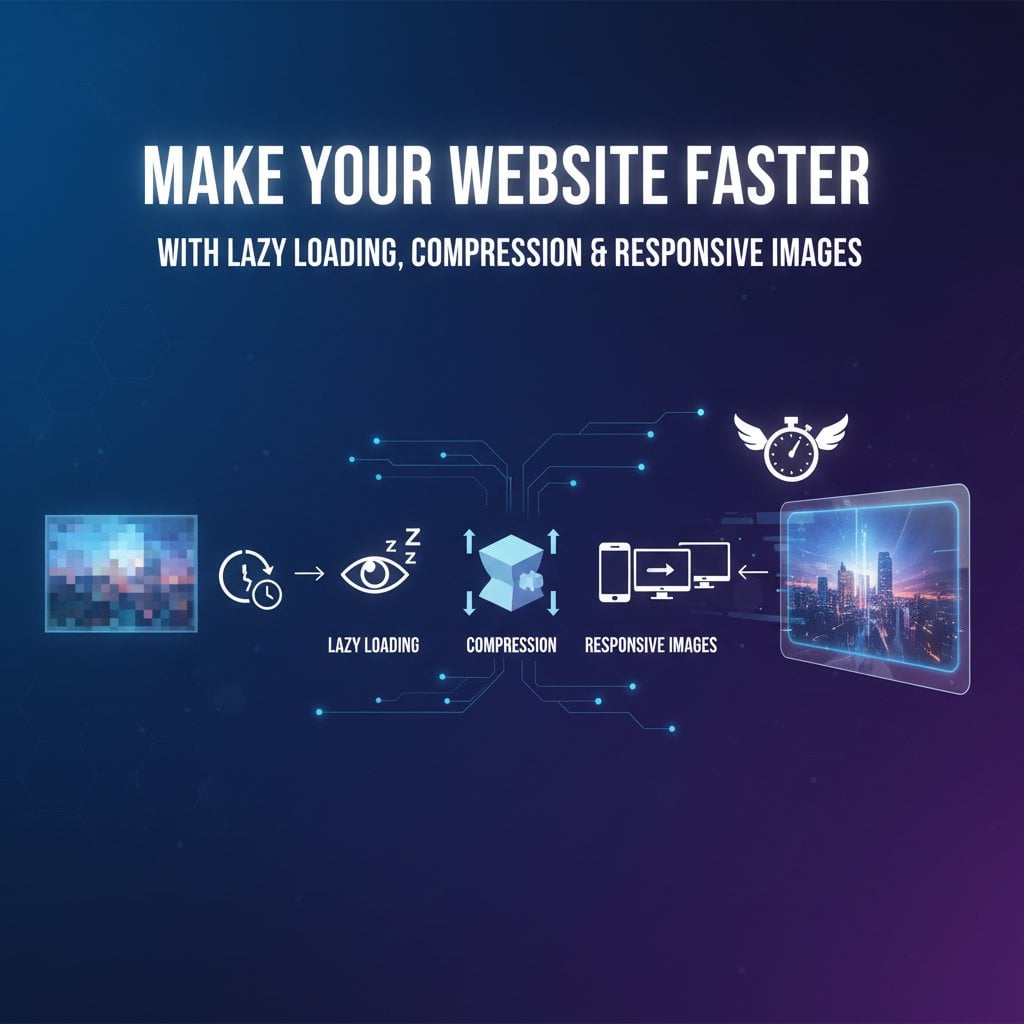
वेबसाइट की स्पीड यूजर एक्सपीरियंस और सर्च इंजन रैंकिंग के लिए बेहद महत्वपूर्ण है। तेज़ वेबसाइट विज़िटर्स को व्यस्त रखती है, बाउंस रेट कम करती है, और सर्च रिज़ल्ट्स में आपकी पोज़िशन बेहतर बनाती है। इस गाइड में हम तीन शक्तिशाली तकनीकों पर नज़र डालेंगे जो आपकी साइट की परफॉर्मेंस बढ़ाने में मदद करेंगी: लेज़ी लोडिंग, इमेज कंप्रेशन, और रिस्पॉन्सिव इमेज। ये तरीके लागू करना आसान है और पेज लोड टाइम को नाटकीय रूप से कम कर सकते हैं, जिससे आपकी साइट अधिक कुशल और यूजर-फ्रेंडली बन जाती है।
बेहतर परफॉर्मेंस के लिए लेज़ी लोडिंग को समझें
लेज़ी लोडिंग एक तकनीक है जो इमेज और अन्य रिसोर्स को तब तक लोड करने में देरी करती है जब तक उनकी जरूरत न हो। पेज खुलने पर सब कुछ लोड करने के बजाय, लेज़ी लोडिंग तब तक इंतज़ार करती है जब तक कंटेंट स्क्रीन पर दिखाई देने वाला न हो। यह दृष्टिकोण बैंडविड्थ बचाता है और शुरुआती पेज लोड टाइम को काफी तेज़ करता है।
जब कोई यूजर आपकी वेबसाइट पर आता है, तो वे आमतौर पर केवल फोल्ड के ऊपर का कंटेंट (पेज का दिखाई देने वाला हिस्सा) देखते हैं। पेज के नीचे दिखाई देने वाली इमेज लोड करना रिसोर्स की बर्बादी है और शुरुआती अनुभव को धीमा करता है। लेज़ी लोडिंग इस समस्या को हल करती है केवल तभी इमेज लोड करके जब यूजर नीचे स्क्रॉल करते हैं।
लेज़ी लोडिंग को कैसे लागू करें
आधुनिक ब्राउज़र एक सरल HTML एट्रिब्यूट के माध्यम से नेटिव लेज़ी लोडिंग को सपोर्ट करते हैं। अपने इमेज टैग में loading="lazy" जोड़ें, और ब्राउज़र बाकी काम संभाल लेता है। इस तरीके के लिए किसी JavaScript लाइब्रेरी की जरूरत नहीं है और यह अधिकांश वर्तमान ब्राउज़र में सहजता से काम करता है।
पुराने ब्राउज़र या अधिक उन्नत फीचर्स के लिए, LazySizes या Intersection Observer API जैसी JavaScript लाइब्रेरी अतिरिक्त नियंत्रण प्रदान करती हैं। ये टूल फॉलबैक विकल्प और कस्टमाइज़ेशन प्रदान करते हैं कि इमेज कब और कैसे लोड हों। चुनाव आपके ऑडियंस और ब्राउज़र सपोर्ट आवश्यकताओं पर निर्भर करता है।
इमेज कंप्रेशन: गुणवत्ता खोए बिना फाइल साइज़ कम करना
इमेज कंप्रेशन विज़ुअल गुणवत्ता बनाए रखते हुए फाइल साइज़ को कम करता है। बड़ी इमेज फाइलें धीमी वेबसाइट्स के पीछे सबसे बड़े अपराधियों में से एक हैं। इमेज को सही तरीके से कंप्रेस करके, आप विज़िटर्स को आकर्षित करने वाली विज़ुअल अपील का त्याग किए बिना तेज़ वेबसाइट हासिल कर सकते हैं।
दो प्रकार के कंप्रेशन हैं: लॉसी और लॉसलेस। लॉसी कंप्रेशन छोटे फाइल साइज़ प्राप्त करने के लिए कुछ डेटा हटाता है, जो फोटोग्राफ और जटिल इमेज के लिए अच्छा काम करता है। लॉसलेस कंप्रेशन सभी मूल डेटा को संरक्षित करता है, जो इसे लोगो, आइकन और टेक्स्ट वाली ग्राफिक्स के लिए आदर्श बनाता है। यह समझना कि कौन सा तरीका उपयोग करना है, आपको गुणवत्ता और परफॉर्मेंस के बीच संतुलन बनाने में मदद करता है।
इमेज कंप्रेशन के लिए बेहतरीन टूल
कई टूल कंप्रेशन को सरल बनाते हैं। TinyPNG और ImageOptim मैनुअल ऑप्टिमाइज़ेशन के लिए लोकप्रिय विकल्प हैं। ये मुफ्त टूल बिना गुणवत्ता की ध्यान देने योग्य हानि के फाइल साइज़ को 50-80% तक कम करते हैं। स्वचालित वर्कफ़्लो के लिए, Cloudflare Polish या ShortPixel जैसी सेवाएं आपकी साइट पर अपलोड करते समय इमेज को कंप्रेस करती हैं।
आधुनिक इमेज फॉर्मेट जैसे WebP और AVIF पारंपरिक JPEG और PNG फॉर्मेट की तुलना में बेहतर कंप्रेशन प्रदान करते हैं। WebP समान गुणवत्ता बनाए रखते हुए JPEG की तुलना में फाइल साइज़ को 25-35% तक कम करता है। इन फॉर्मेट के लिए ब्राउज़र सपोर्ट लगातार बढ़ रहा है, जो उन्हें रोज़मर्रा के उपयोग के लिए तेज़ी से व्यावहारिक बना रहा है।
सही इमेज फॉर्मेट के साथ तेज़ वेबसाइट बनाना
सही फॉर्मेट चुनना कंप्रेशन जितना ही महत्वपूर्ण है। फोटोग्राफ के लिए JPEG, ट्रांसपेरेंसी की आवश्यकता वाली इमेज के लिए PNG, और लोगो और सरल ग्राफिक्स के लिए SVG का उपयोग करें। SVG फाइलें वेक्टर-आधारित हैं, जिसका मतलब है कि वे फाइल साइज़ बढ़ाए बिना किसी भी आकार में पूर्णता से स्केल करती हैं। यह उन्हें रिस्पॉन्सिव डिज़ाइन के लिए आदर्श बनाता है।
नए फॉर्मेट के लिए फॉलबैक रणनीति लागू करने पर विचार करें। जो ब्राउज़र इसे सपोर्ट करते हैं उन्हें WebP परोसें, पुराने ब्राउज़र के लिए JPEG या PNG को बैकअप के रूप में रखें। यह दृष्टिकोण संगतता सुनिश्चित करता है और आधुनिक ब्राउज़र वाले यूजर्स को इष्टतम परफॉर्मेंस प्रदान करता है।
रिस्पॉन्सिव इमेज: हर डिवाइस के लिए सही साइज़ परोसना
रिस्पॉन्सिव इमेज विभिन्न स्क्रीन साइज़ और रिज़ॉल्यूशन के अनुकूल होती हैं। मोबाइल यूजर्स को डेस्कटॉप साइज़ की इमेज डाउनलोड नहीं करनी चाहिए जब छोटे वर्जन उनके डिवाइस पर बिल्कुल ठीक काम करते हैं। रिस्पॉन्सिव इमेज तकनीकें सुनिश्चित करती हैं कि हर विज़िटर को उनकी स्क्रीन के लिए उपयुक्त साइज़ की इमेज मिले।
HTML srcset एट्रिब्यूट कई इमेज वर्जन प्रदान करके रिस्पॉन्सिव इमेज को सक्षम बनाता है। ब्राउज़र स्क्रीन आयाम और पिक्सेल घनत्व के आधार पर स्वचालित रूप से सबसे उपयुक्त साइज़ का चयन करते हैं। यह स्मार्ट लोडिंग डेटा उपयोग को कम करती है और लोड टाइम में सुधार करती है, विशेष रूप से मोबाइल नेटवर्क पर।
HTML के साथ रिस्पॉन्सिव इमेज लागू करना
विभिन्न साइज़ में प्रत्येक इमेज के कई वर्जन बनाकर शुरुआत करें। सामान्य ब्रेकपॉइंट्स में 320px, 768px, 1024px, और 1920px चौड़ाई शामिल हैं। इन वर्जन को सूचीबद्ध करने के लिए srcset एट्रिब्यूट का उपयोग करें, और ब्राउज़र को सबसे अच्छा विकल्प चुनने दें। sizes एट्रिब्यूट विभिन्न व्यूपोर्ट चौड़ाई पर इमेज कितनी जगह घेरती है इसके बारे में अतिरिक्त संकेत प्रदान करता है।
अधिक जटिल लेआउट के लिए, picture एलिमेंट अधिक नियंत्रण प्रदान करता है। यह आपको विभिन्न स्थितियों के लिए अलग-अलग इमेज निर्दिष्ट करने की अनुमति देता है, जिसमें आर्ट डायरेक्शन परिवर्तन भी शामिल हैं। यह तब उपयोगी साबित होता है जब आप मोबाइल पर क्रॉप किए गए वर्जन या स्क्रीन साइज़ के आधार पर पूरी तरह से अलग इमेज दिखाना चाहते हैं।
मुख्य बातें:
- लेज़ी लोडिंग जरूरत तक इमेज लोडिंग में देरी करती है, शुरुआती पेज लोड टाइम कम करती है
- इमेज कंप्रेशन गुणवत्ता की ध्यान देने योग्य हानि के बिना फाइल साइज़ को 50-80% तक कम कर सकता है
- रिस्पॉन्सिव इमेज सुनिश्चित करती हैं कि हर डिवाइस को उपयुक्त साइज़ की इमेज मिले
- तीनों तकनीकों को मिलाने से वेबसाइट स्पीड पर सबसे बड़ा प्रभाव पड़ता है
निष्कर्ष
तेज़ वेबसाइट बनाने के लिए इस बात पर ध्यान देना जरूरी है कि इमेज कैसे लोड और डिलीवर की जाती हैं। लेज़ी लोडिंग, कंप्रेशन, और रिस्पॉन्सिव इमेज मिलकर महत्वपूर्ण परफॉर्मेंस सुधार लाती हैं। तत्काल लाभ के लिए लेज़ी लोडिंग लागू करके शुरुआत करें, फिर मौजूदा इमेज को कंप्रेस करें और रिस्पॉन्सिव इमेज वर्कफ़्लो स्थापित करें। इन तकनीकों के लिए न्यूनतम तकनीकी ज्ञान की आवश्यकता है लेकिन ये पर्याप्त लाभ प्रदान करती हैं। आपके विज़िटर्स तेज़ अनुभव की सराहना करेंगे, और सर्च इंजन बेहतर रैंकिंग के साथ आपके ऑप्टिमाइज़ेशन प्रयासों को पुरस्कृत करेंगे।
अक्सर पूछे जाने वाले प्रश्न
लेज़ी लोडिंग, इमेज कंप्रेशन, और रिस्पॉन्सिव इमेज का संयोजन सबसे व्यापक दृष्टिकोण प्रदान करता है। कंप्रेशन से शुरुआत करें क्योंकि यह तत्काल लाभ प्रदान करता है, फिर फोल्ड के नीचे के कंटेंट के लिए लेज़ी लोडिंग लागू करें। अंत में, विभिन्न डिवाइस के लिए उपयुक्त साइज़ परोसने के लिए रिस्पॉन्सिव इमेज सेट करें।
लेज़ी लोडिंग पेज लोड टाइम कम करके SEO में सुधार करती है, जो एक रैंकिंग फैक्टर है। आधुनिक सर्च इंजन लेज़ी लोडिंग को समझते हैं और लेज़ी लोड की गई इमेज को क्रॉल कर सकते हैं। बेहतरीन परिणामों के लिए नेटिव लेज़ी लोडिंग का उपयोग करें या सुनिश्चित करें कि आपका JavaScript इम्प्लीमेंटेशन सर्च इंजन फ्रेंडली है।
अधिकांश इमेज को सही टूल और सेटिंग्स का उपयोग करके दिखाई देने वाली गुणवत्ता हानि के बिना 50-70% तक कंप्रेस किया जा सकता है। फोटोग्राफ आमतौर पर 80-85% गुणवत्ता सेटिंग्स पर लॉसी कंप्रेशन को अच्छी तरह संभालती हैं। प्रकाशित करने से पहले हमेशा कंप्रेस की गई इमेज का पूर्वावलोकन करें ताकि सुनिश्चित हो सके कि वे आपके मानकों को पूरा करती हैं।
WebP उत्कृष्ट कंप्रेशन प्रदान करता है और अधिकांश आधुनिक ब्राउज़र द्वारा सपोर्ट किया जाता है। हालांकि, पुराने ब्राउज़र के लिए JPEG या PNG जैसे फॉलबैक फॉर्मेट प्रदान करें। सपोर्ट होने पर WebP और जरूरत पड़ने पर फॉलबैक फॉर्मेट परोसने के लिए picture एलिमेंट या सर्वर-साइड डिटेक्शन का उपयोग करें।
रिस्पॉन्सिव इमेज मोबाइल डिवाइस को डेस्कटॉप स्क्रीन के लिए बनी अनावश्यक रूप से बड़ी फाइलें डाउनलोड करने से रोकती हैं। मोबाइल यूजर्स को छोटी इमेज परोसकर, आप डेटा उपयोग और लोड टाइम को काफी कम करते हैं, जो धीमे मोबाइल नेटवर्क या सीमित डेटा प्लान वाले यूजर्स के लिए विशेष रूप से महत्वपूर्ण है।